
Feature clips
One action. One clip.
Search payroll, hiring, a schedule, stock, books. Each result is a single thing in the app. 20 are filmed from the real product. 32 are written down and still need a recording — those cards don’t pretend to be a video.
52 features
Restaurant · Schedule
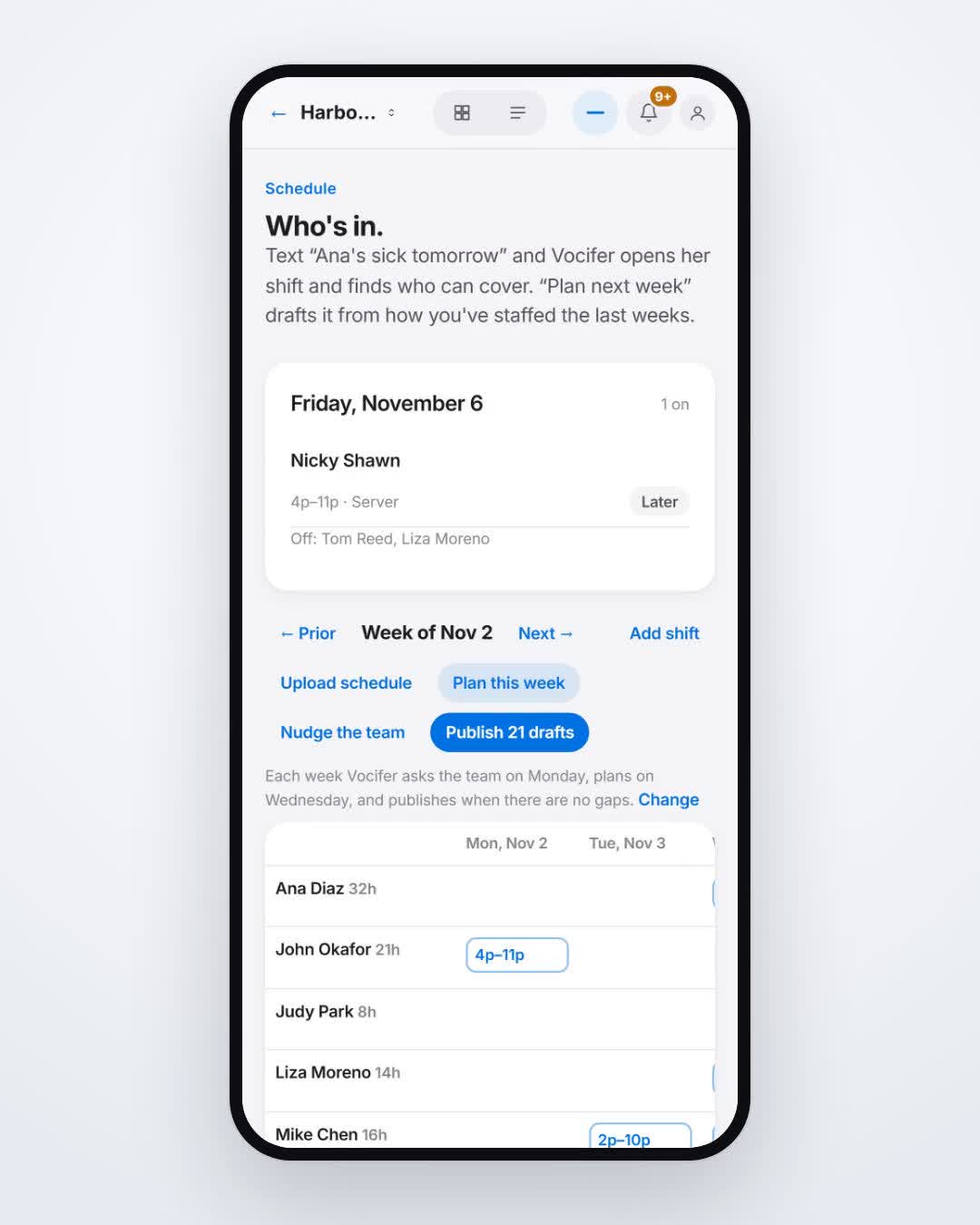
Cover a call-out
Harbor Grill
- 1. Text who is out.
- 2. Open the shift it finds.
- 3. Book the person who can cover.
Restaurant · Schedule
See who's on tonight
Harbor Grill
- 1. Open Who's on.
- 2. Read the shift list.
- 3. Tap a name for hours.
Trades · Schedule
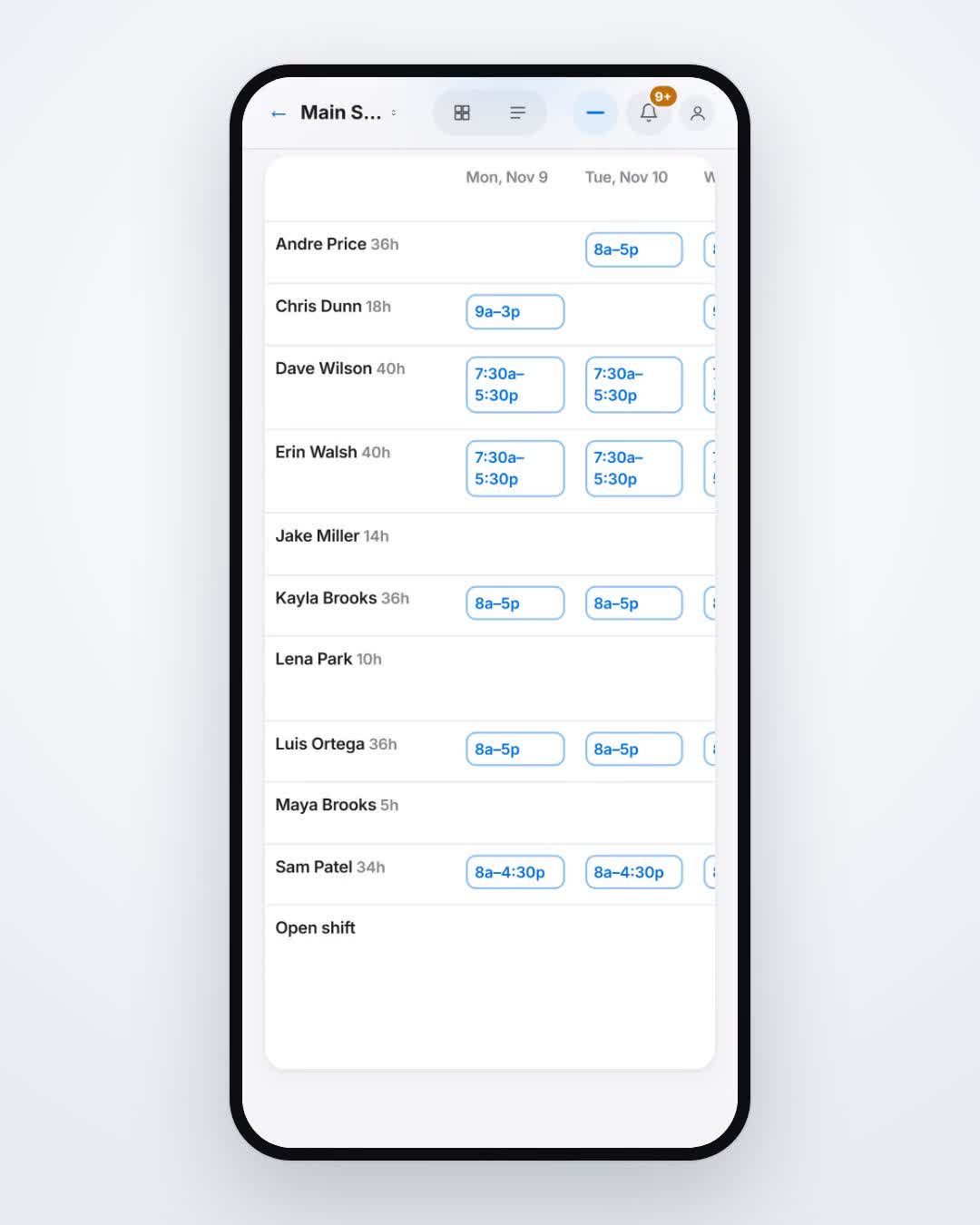
Draft next week's schedule
Northline Plumbing
- 1. Text the ask.
- 2. Review the drafted week.
- 3. Leave the open shifts for later.
Trades · Schedule
See shifts still open
Northline Plumbing
- 1. Open the week.
- 2. Find the open slots.
- 3. Assign someone before you publish.
Trades · Schedule
Publish the week
Northline Plumbing
- 1. Review the draft.
- 2. Confirm the open shifts.
- 3. Publish when you say yes.
Clinic · Payroll
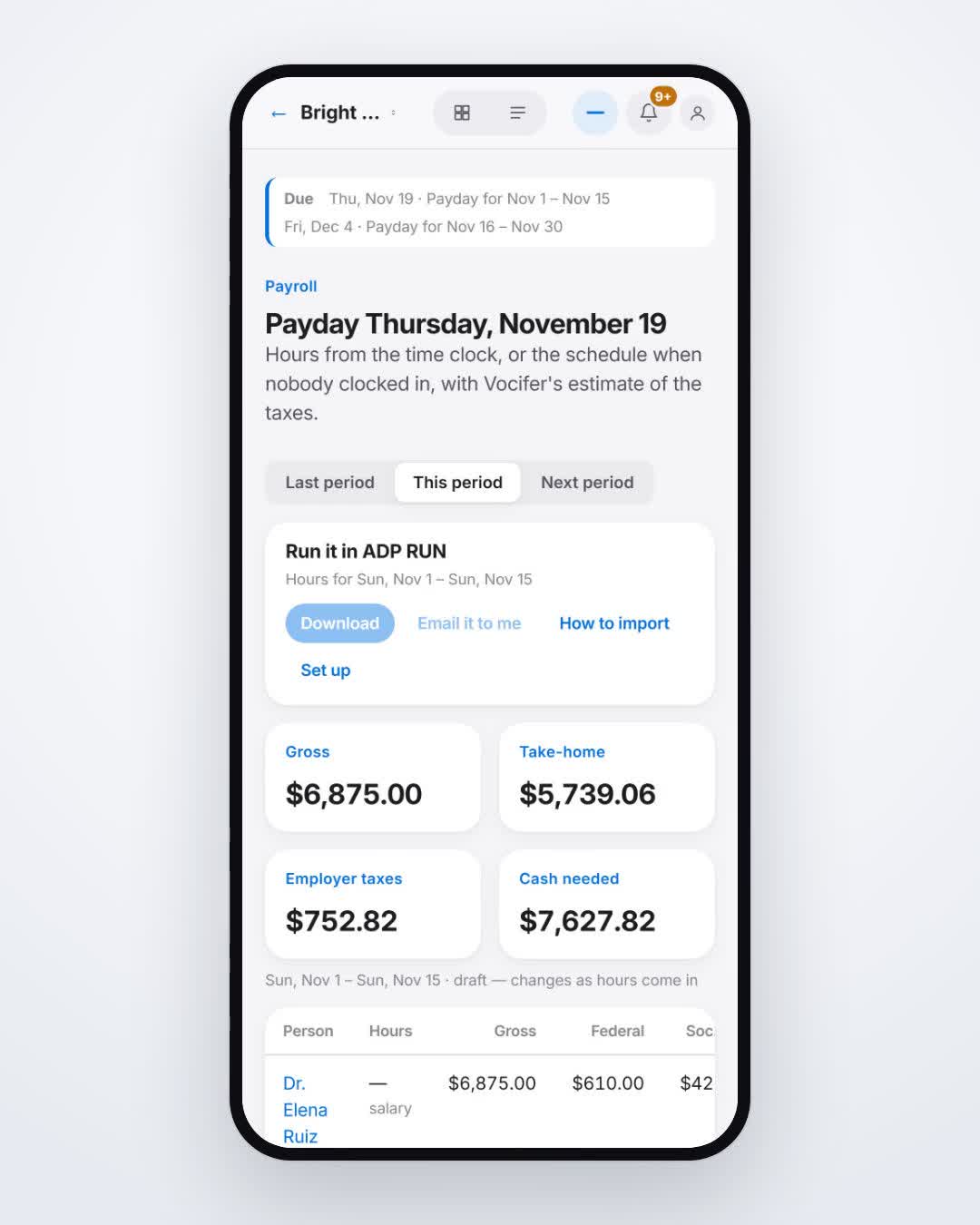
See this payroll
Bright Dental
- 1. Open Pay.
- 2. Read gross, taxes, and take-home.
- 3. Check the cash you'll need.
Clinic · Payroll
Estimated taxes on a paycheck
Bright Dental
- 1. Open this period.
- 2. Read the tax lines. These are estimates.
- 3. They are not a filed return.
Clinic · Payroll
Cash needed for payday
Bright Dental
- 1. Open Pay.
- 2. Read take-home.
- 3. That's the cash to have ready.
Auto · Hiring
Hire someone
Main Street Auto
- 1. Text the hire.
- 2. Review the offer.
- 3. Send it or hand them the phone.
Auto · Hiring
Send hiring paperwork
Main Street Auto
- 1. Open the hire.
- 2. The forms for your state are attached.
- 3. Email the link or show the code.
Auto · Hiring
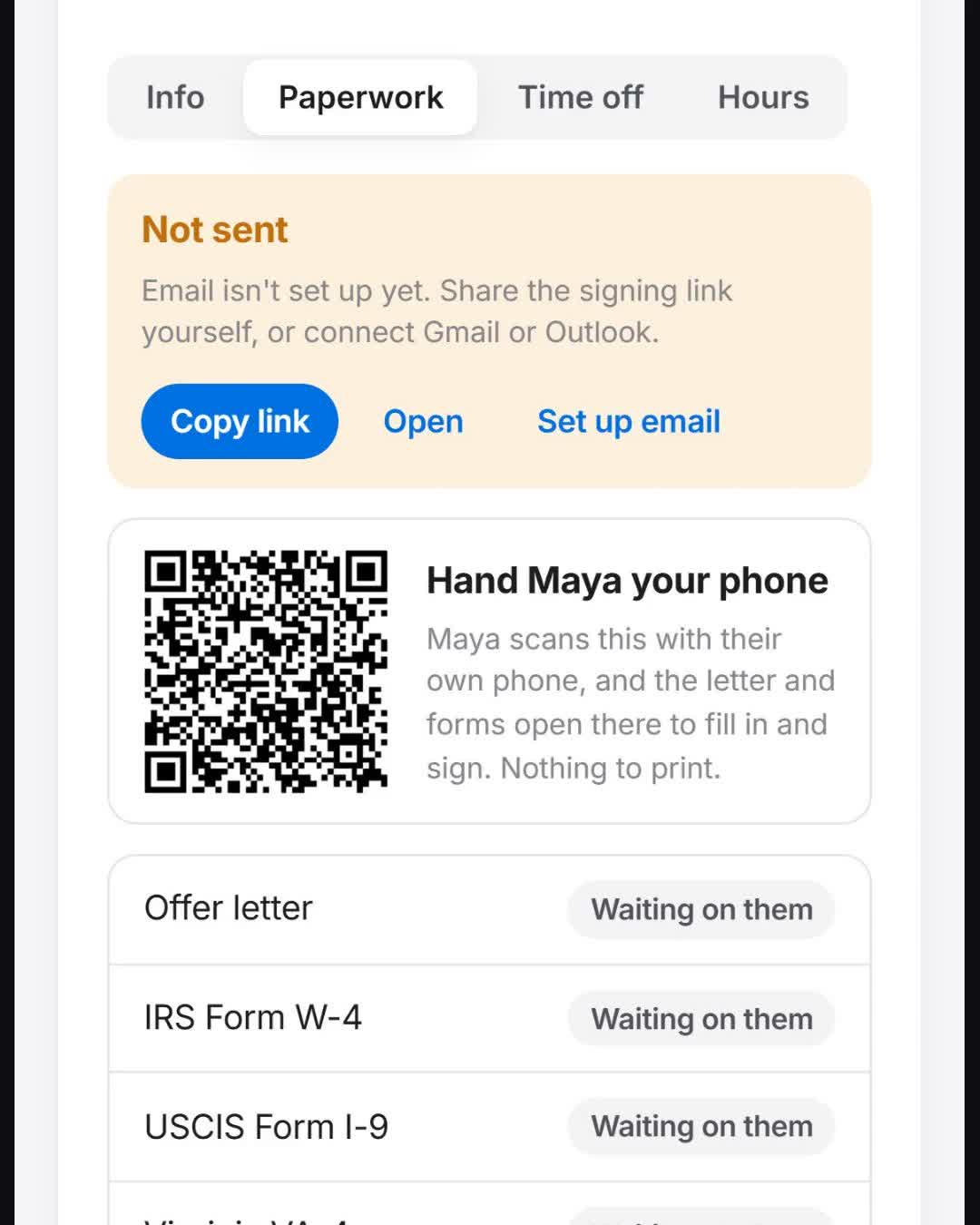
Let them sign on their phone
Main Street Auto
- 1. Open the hire.
- 2. Show the code.
- 3. They scan and sign.
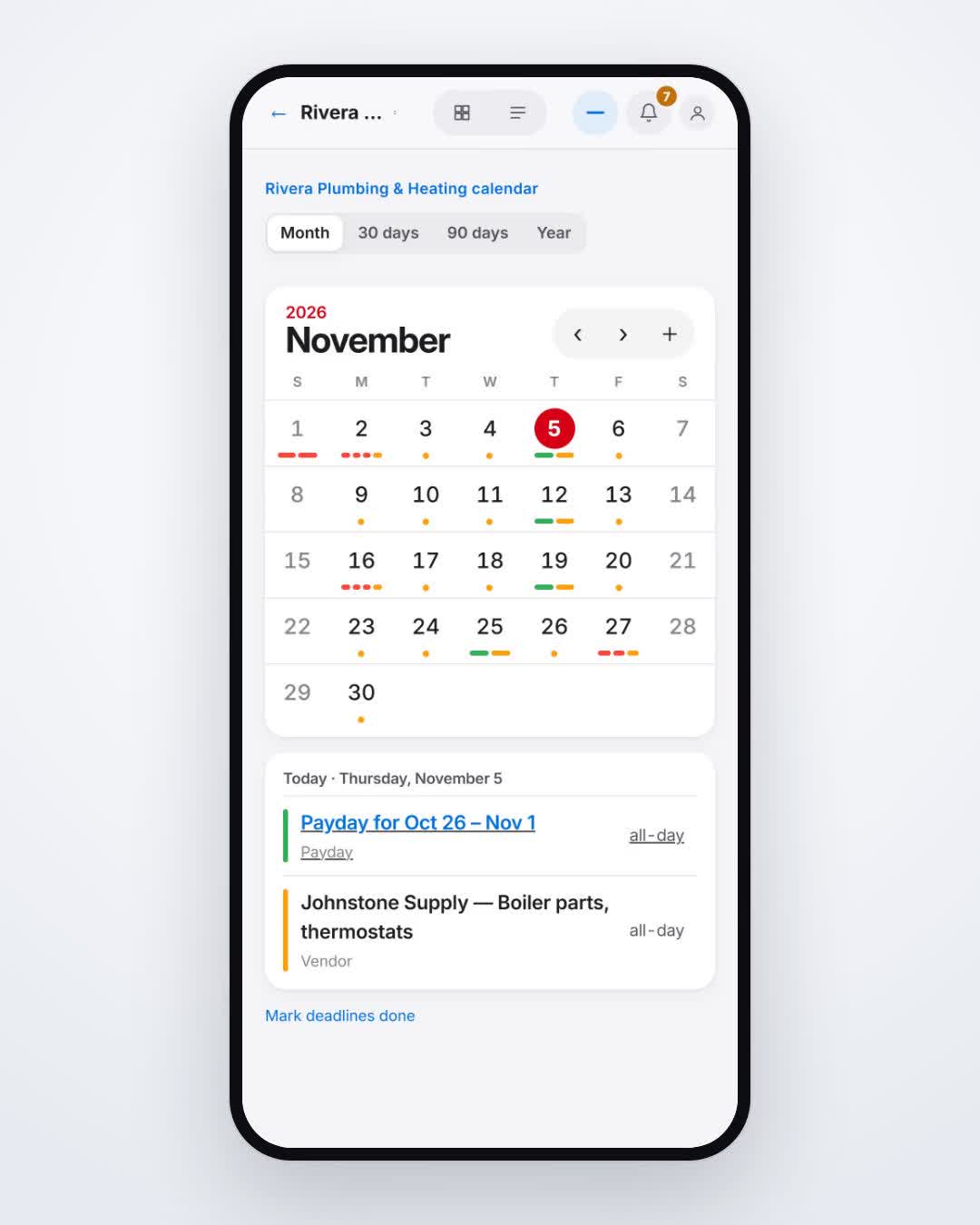
Plumbing · Calendar
See what's due today
Northline Plumbing
- 1. Open the calendar.
- 2. Read payroll, bills, and licenses.
- 3. Tap one to open it.
Plumbing · Calendar
Find a license renewal
Northline Plumbing
- 1. Open the calendar.
- 2. Find licenses.
- 3. Open the renewal date.
Plumbing · Bills
See bills coming due
Northline Plumbing
- 1. Open the calendar.
- 2. Filter to bills.
- 3. Open one to pay or schedule it.
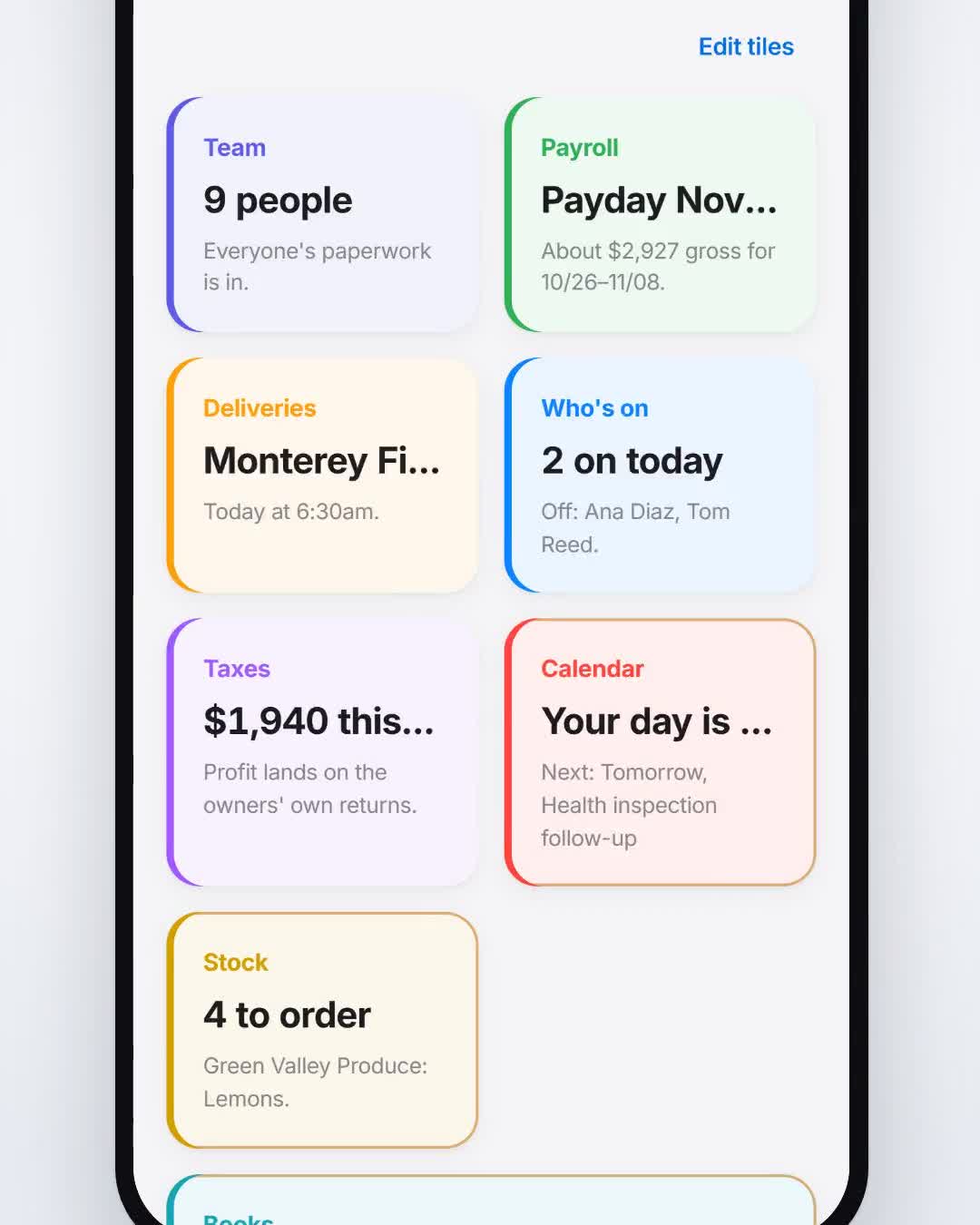
Restaurant · Stock
See what to order
Harbor Grill
- 1. Open Stock.
- 2. Read what's low, by supplier.
- 3. Note each supplier's cutoff.
Restaurant · Stock
Catch a supplier cutoff
Harbor Grill
- 1. Open Stock.
- 2. Group by supplier.
- 3. Order before that supplier's cutoff.
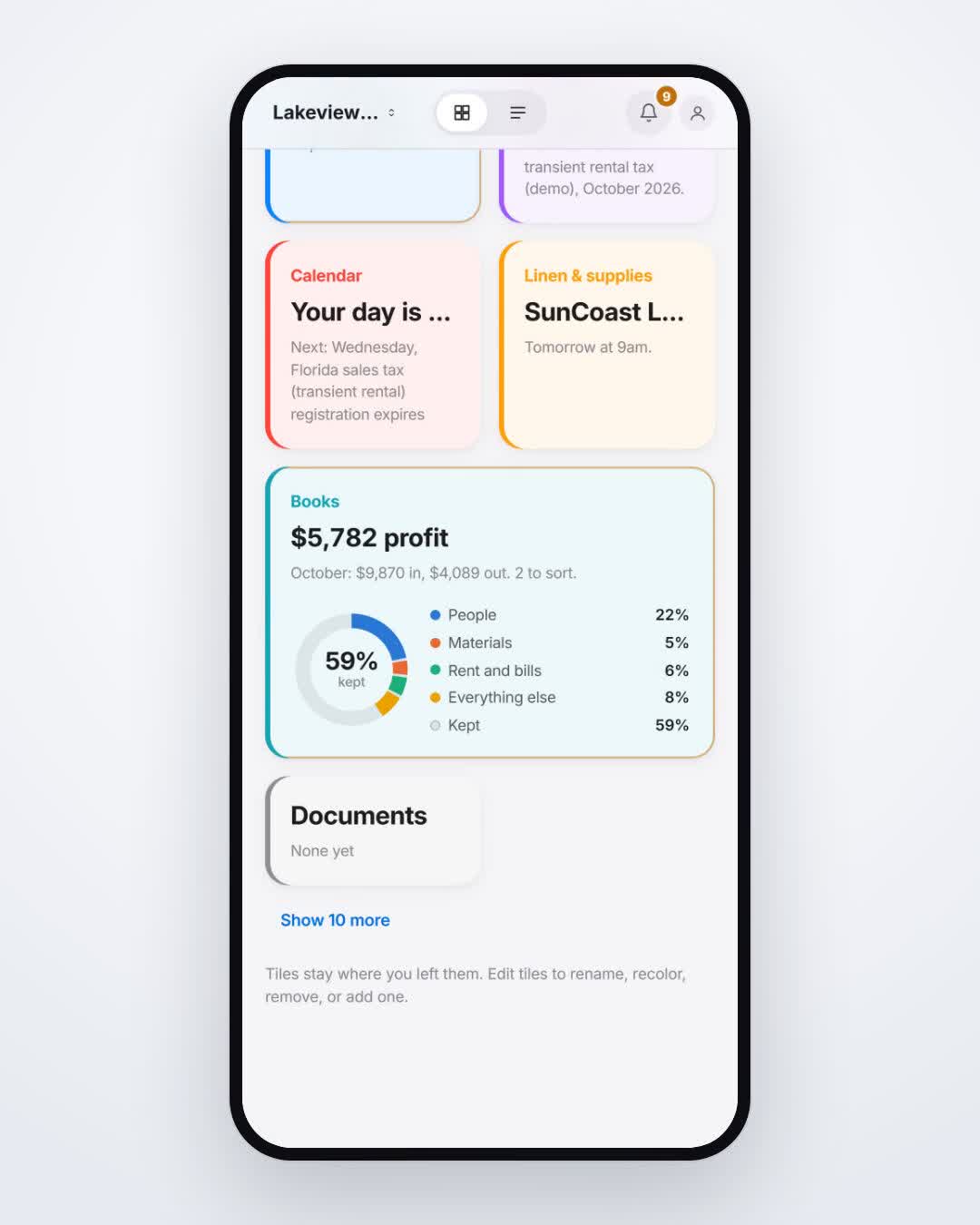
Rental · Books
See last month's profit
Cedar Doors
- 1. Open Books.
- 2. Read the month.
- 3. See profit after people, materials, rent, and bills.
Rental · Books
See where the money went
Cedar Doors
- 1. Open Books.
- 2. Read the categories.
- 3. People, materials, rent, and bills are split out.
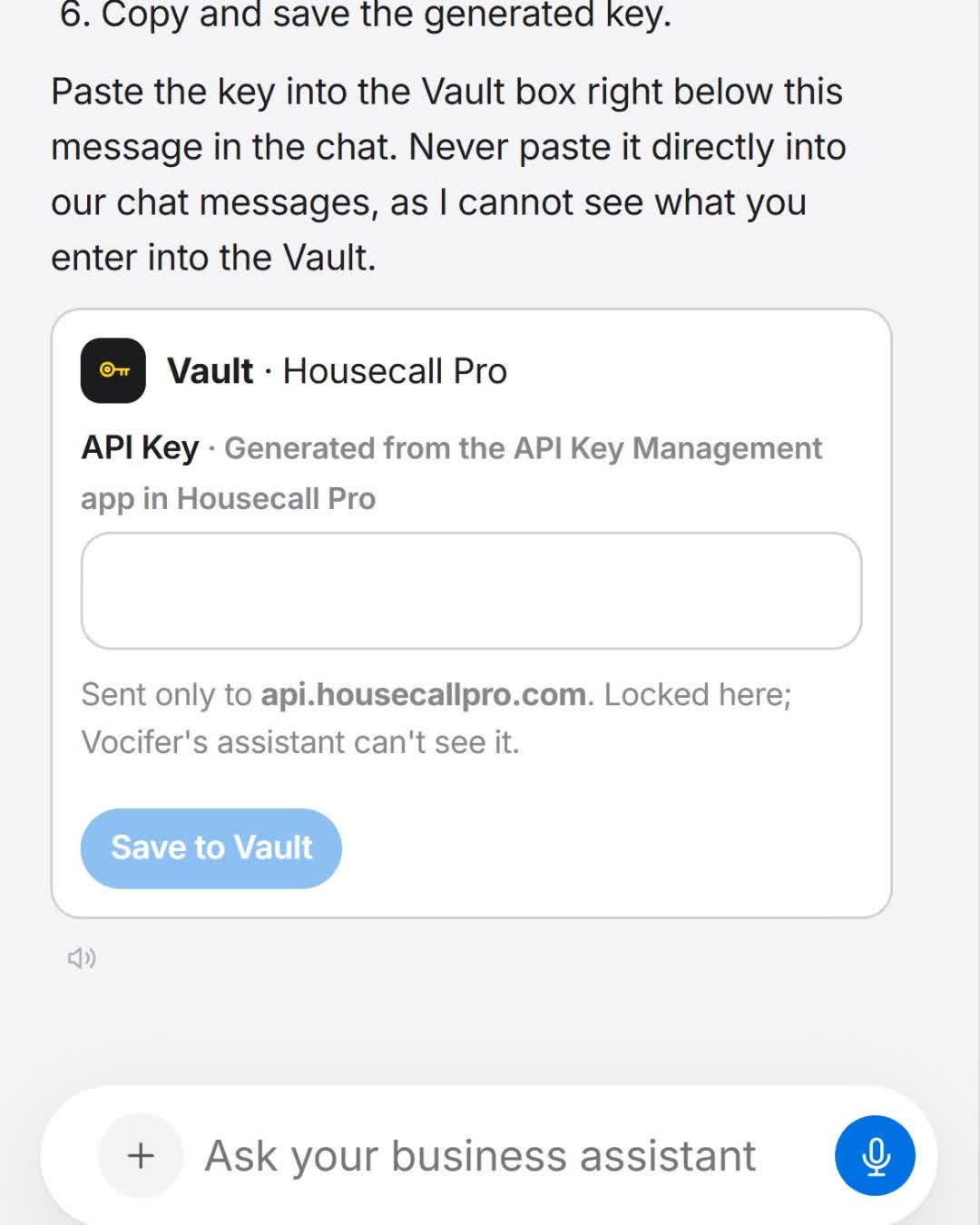
Home services · Connections
Connect software you already use
Harbor Home
- 1. Name the software.
- 2. Open the connection it finds.
- 3. Put the key in the Vault.
Home services · Vault
Store a key the assistant can't see
Harbor Home
- 1. Open the connection.
- 2. Add the key in the Vault.
- 3. The assistant never sees that key.
Not filmed yet
Retail · Setup
Add a shop
Elm Street Market
- 1. Create the account.
- 2. Add the shop and its type.
- 3. The home tiles rename to that work.
Not filmed yet
Retail · Assistant
Text it like a manager
Elm Street Market
- 1. Open the ask box.
- 2. Text it the way you'd text a manager.
- 3. It opens the page.
Not filmed yet
Retail · Time
Clock in
Elm Street Market
- 1. Open the person's shift.
- 2. Clock in.
- 3. Hours flow into payroll.
Not filmed yet
Clinic · Schedule
Approve time off
Bright Dental
- 1. Open the request.
- 2. Check the day still has coverage.
- 3. Approve it.
Not filmed yet
Restaurant · Schedule
Swap a shift
Harbor Grill
- 1. Open the two shifts.
- 2. Swap them.
- 3. Both see the new times.
Not filmed yet
Auto · Team
See the team
Main Street Auto
- 1. Open Team.
- 2. Read roles and pay.
- 3. Tap a person for their file.
Not filmed yet
Clinic · Team
Check licenses and certs
Bright Dental
- 1. Open Licenses & certs.
- 2. Sort by date.
- 3. Open the one that's close.
Not filmed yet
Clinic · Schedule
See who's in today
Bright Dental
- 1. Open Who's in today.
- 2. Read the chairs.
- 3. Tap a name for the day.
Not filmed yet
Plumbing · Jobs
See open jobs
Northline Plumbing
- 1. Open Jobs.
- 2. Read the open list.
- 3. Tap one for the address and crew.
Not filmed yet
Plumbing · Jobs
Put a job on the calendar
Northline Plumbing
- 1. Open the job.
- 2. Pick Thursday morning.
- 3. Assign the crew.
Not filmed yet
Auto · Customers
Find a customer
Main Street Auto
- 1. Open Customers.
- 2. Search the name.
- 3. Open the file.
Not filmed yet
Auto · Invoices
Send an invoice
Main Street Auto
- 1. Open the job.
- 2. Create the invoice.
- 3. Send it.
Not filmed yet
Restaurant · Vendors
See suppliers
Harbor Grill
- 1. Open Vendors.
- 2. Find the supplier.
- 3. Open their cutoff and last order.
Not filmed yet
Restaurant · Deliveries
See today's deliveries
Harbor Grill
- 1. Open Deliveries.
- 2. Read today's list.
- 3. Check one in when it arrives.
Not filmed yet
Rental · Maintenance
Log a repair
Cedar Doors
- 1. Open Maintenance.
- 2. Add the unit and the problem.
- 3. Assign it.
Not filmed yet
Rental · Properties
See the doors
Cedar Doors
- 1. Open Doors.
- 2. Read occupied and vacant.
- 3. Open a unit.
Not filmed yet
Rental · Properties
Start a turnover
Cedar Doors
- 1. Open the unit.
- 2. Start the turnover.
- 3. The clean and the repairs land on the calendar.
Not filmed yet
Home services · Inbox
Read a message
Harbor Home
- 1. Open Inbox.
- 2. Open the thread.
- 3. Reply or turn it into a job.
Not filmed yet
Clinic · Documents
Find a document
Bright Dental
- 1. Open Documents.
- 2. Search license.
- 3. Open the file.
Not filmed yet
Retail · Taxes
See an estimated tax number
Elm Street Market
- 1. Open Taxes.
- 2. Read the estimate.
- 3. This is an estimate, not a filed return.
Not filmed yet
Retail · Schedule
Set shop hours
Elm Street Market
- 1. Open Hours.
- 2. Set the week.
- 3. The schedule uses those hours.
Not filmed yet
Retail · Stock
See what's low on the shelf
Elm Street Market
- 1. Open Inventory.
- 2. Sort by low.
- 3. Add it to an order.
Not filmed yet
Salon · Schedule
See the chairs today
Linden Salon
- 1. Open Chairs.
- 2. Read the afternoon.
- 3. Book the open one.
Not filmed yet
Gym · Schedule
See today's classes
North Gym
- 1. Open Classes.
- 2. Read the times.
- 3. See who's teaching.
Not filmed yet
Childcare · Schedule
Check room ratios
Little Harbor
- 1. Open Ratios.
- 2. Read each room.
- 3. The short room is marked.
Not filmed yet
Clinic · Stock
Reorder clinic supplies
Bright Dental
- 1. Open Supplies.
- 2. Read what's low.
- 3. Order from the rep.
Not filmed yet
Home services · Phone
See a missed call
Harbor Home
- 1. Open Phone.
- 2. Read the missed calls.
- 3. Call back or make it a job.
Not filmed yet
Retail · Calendar
See tax deposit dates
Elm Street Market
- 1. Open Deadlines.
- 2. Find the deposit.
- 3. The date is an estimate until you file.
Not filmed yet
Retail · Account
Open the business account
Elm Street Market
- 1. Open Account.
- 2. The shop stays on its organization.
- 3. Usage, payroll, and taxes stay linked.
Not filmed yet
Household · Taxes
See a personal tax estimate
Your household
- 1. Open personal taxes.
- 2. Read the estimate.
- 3. It is not a filed return.
Not filmed yet
Plumbing · Jobs
Send a quote
Northline Plumbing
- 1. Open the job.
- 2. Write the quote.
- 3. Send the link.
Not filmed yet
Restaurant · Hiring
Share an application link
Harbor Grill
- 1. Open Hiring.
- 2. Copy the apply link.
- 3. Send it.